
How To View Your Logged Hours
Learn how to view your logged hours in Fireflyinitiative with this simple guide. Viewing your hours provides an accurate and organized record of your volunteering contributions, which can be valuable for personal records, discussions, or future opportunities and rewards.
Go to portal.fireflyinitiative.xyz
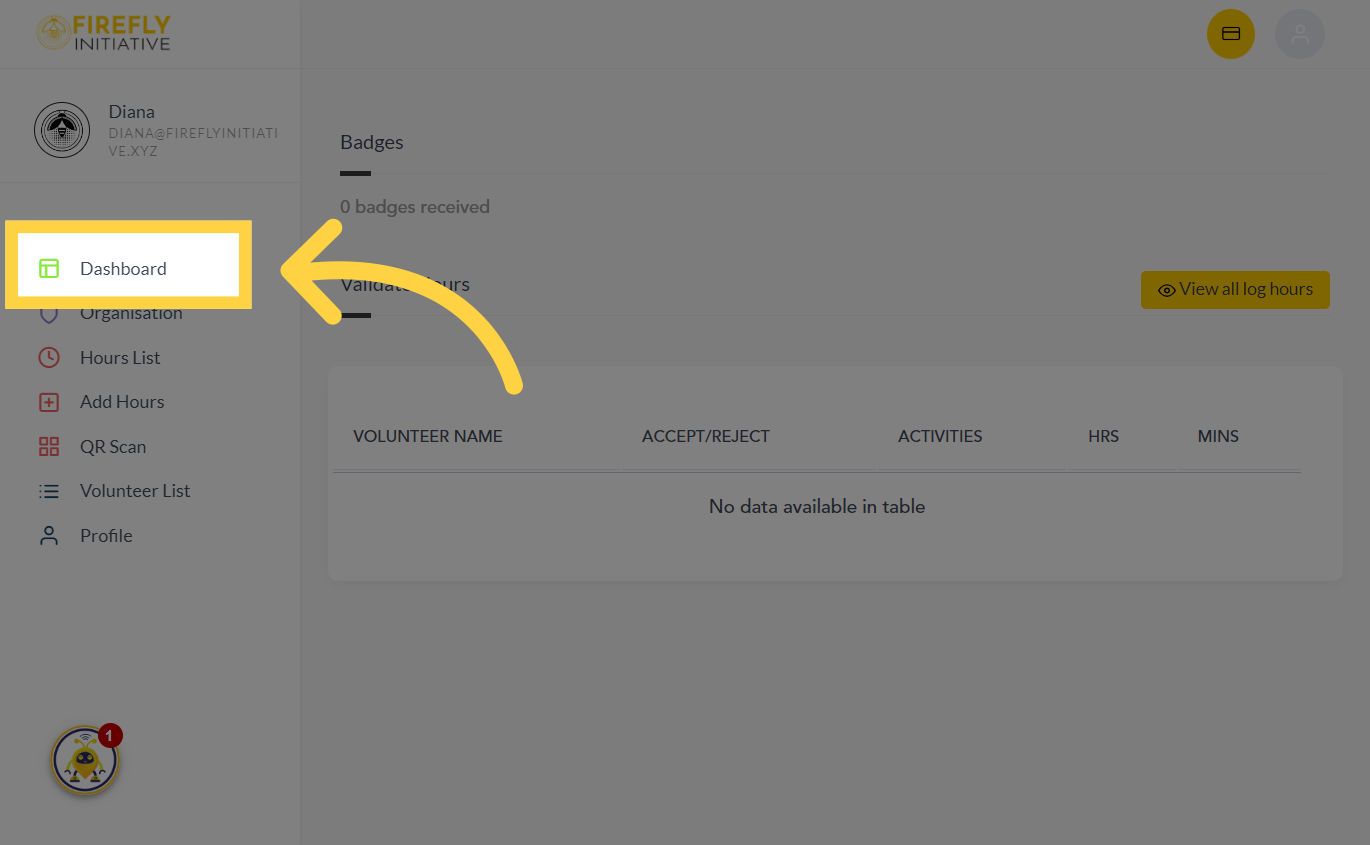
1. Click "Dashboard"
Click the dashboard tab to begin
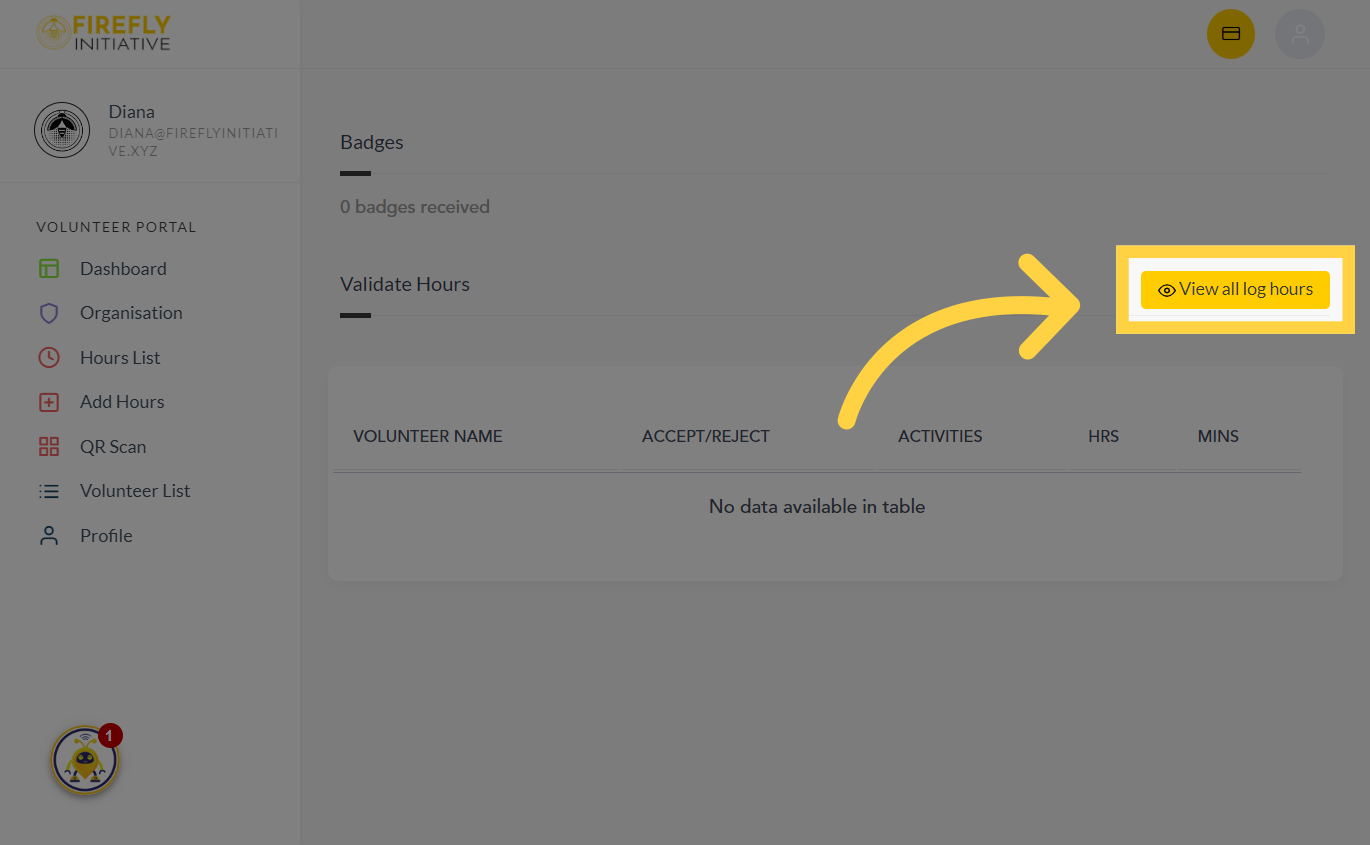
2. Click "View all log hours"
Navigate to the option to view all logged hours. Monitoring your logged hours allows you to keep track of the time you've dedicated to volunteering activities, helping you stay on top of your commitments.
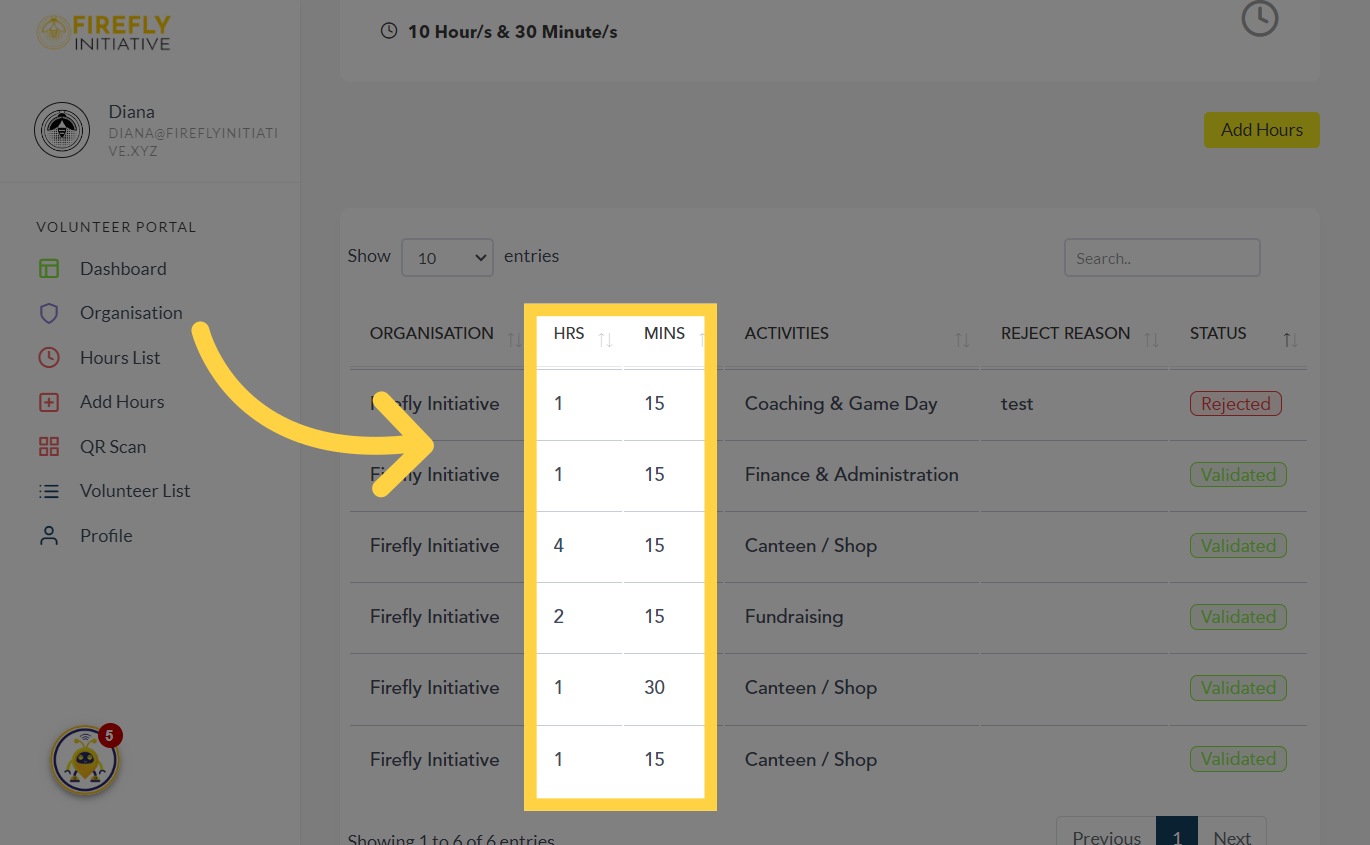
3. Check the added hours
Access the hours section to see all the number of hours you've added per activity
4. Navigate to"STATUS"
In the status section, you will be able to see whether the hours you've added have been validated and approved.
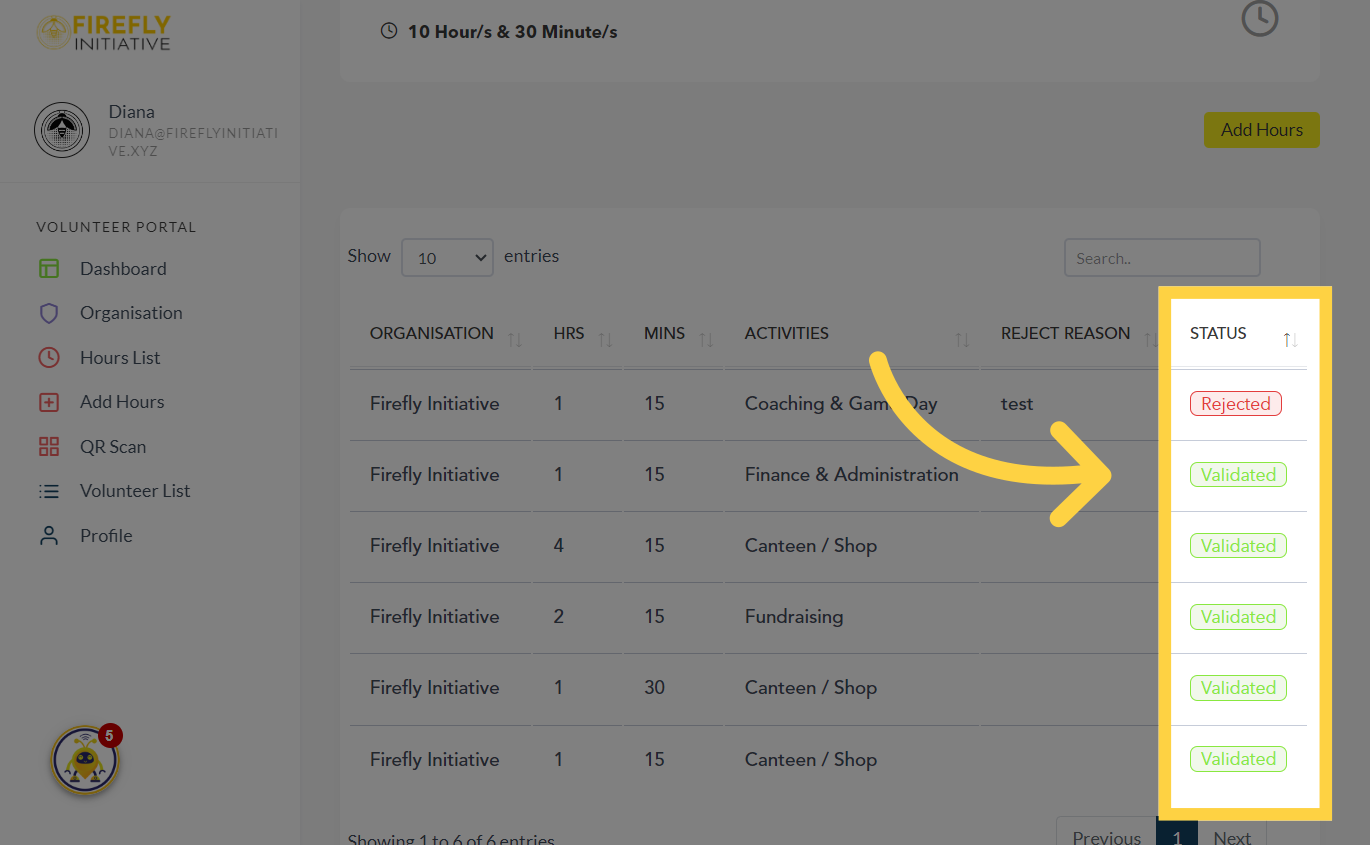
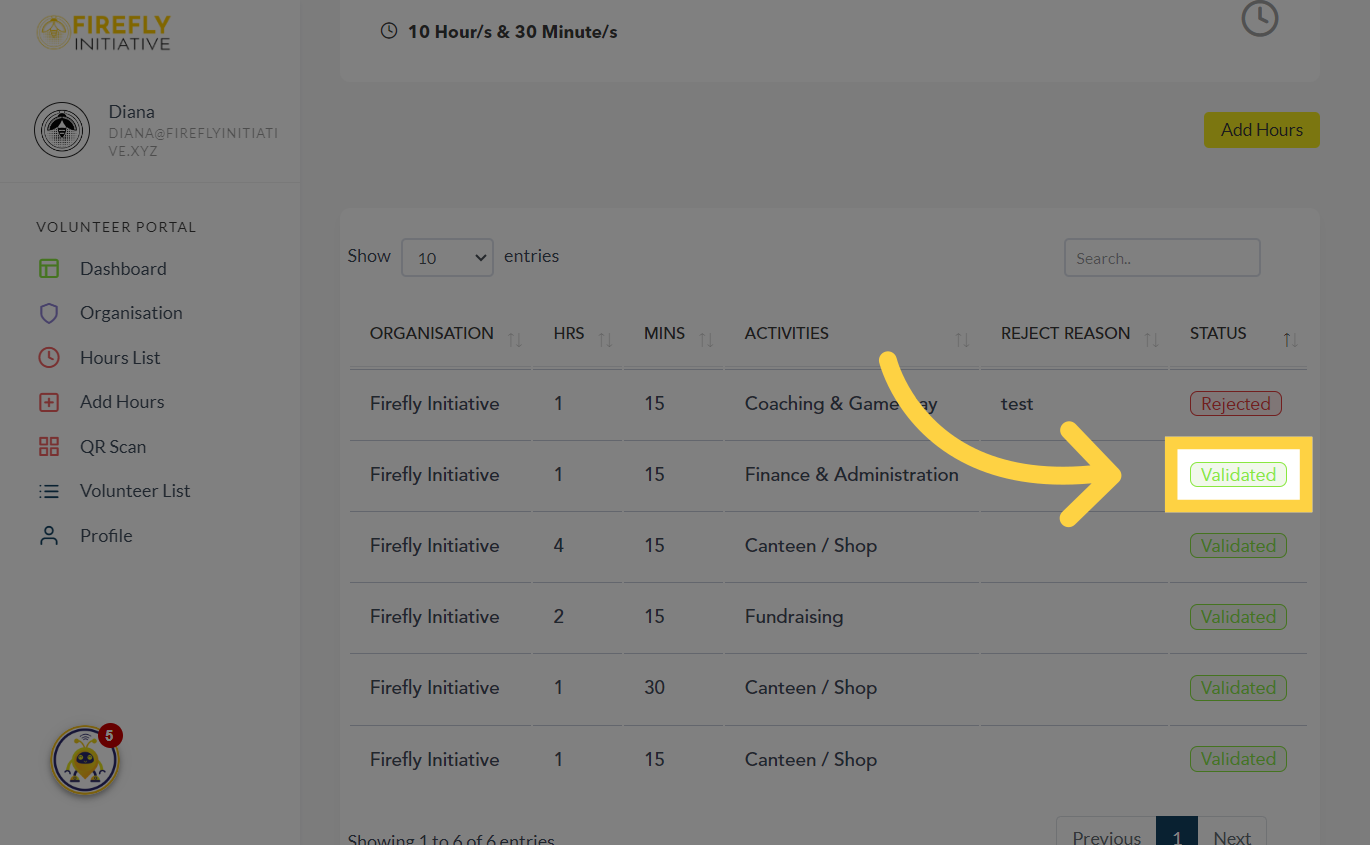
5. Status shows "Validated"
Once the added hours are approved, the Status should display "Validated".
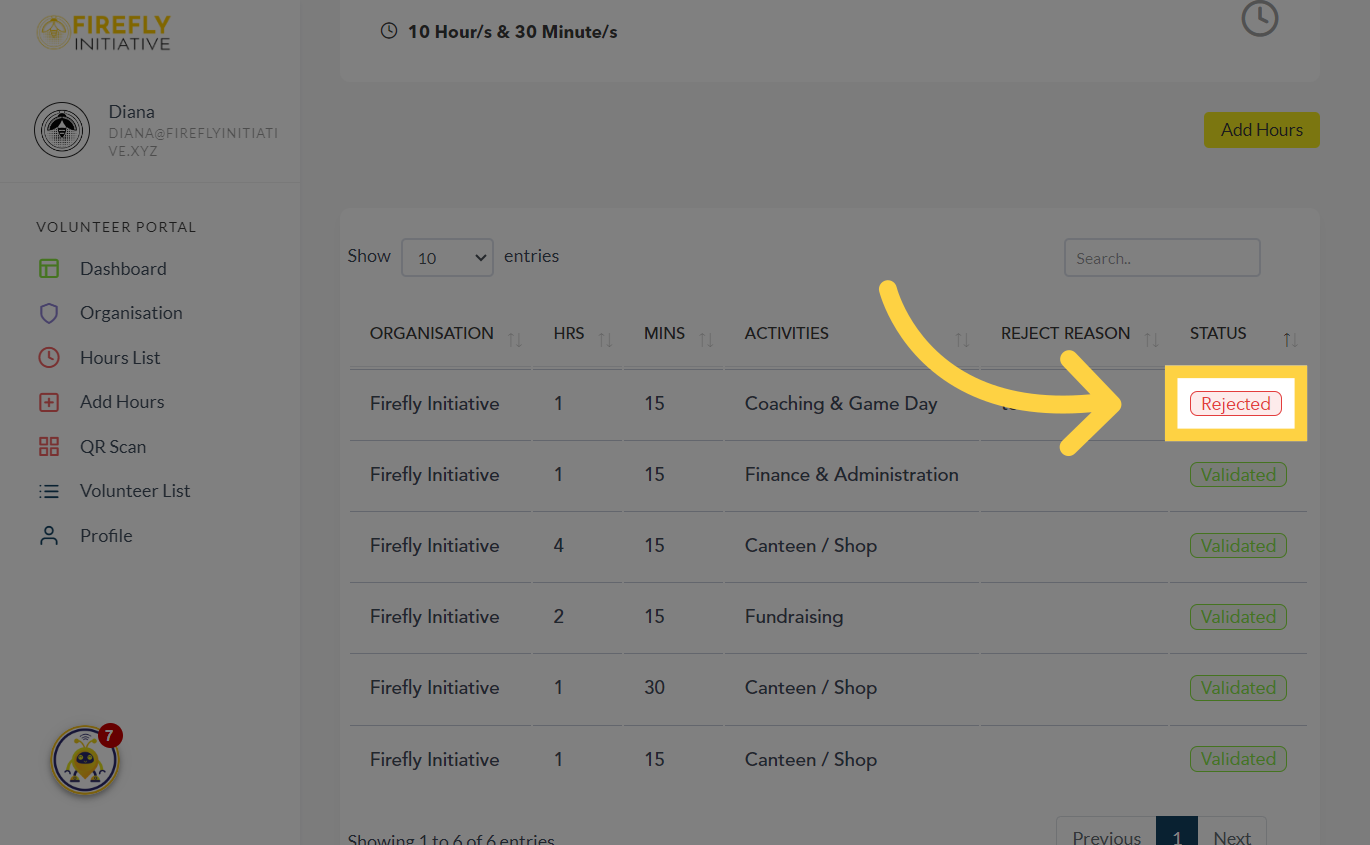
6. Status shows "Rejected"
The Status should indicate "Rejected" if your logged hours are not accepted.
7. Check the "Reject Reason"
You will find the explanation for why your recorded hours have been rejected in this section.

Was this article helpful?
Related Articles