
How To View All Volunteers' Hours
Discover how to easily view all volunteers' hours in the Firefly initiative application. By seeing the total hours contributed by all volunteers, you gain a better understanding of the collective impact that the Firefly Initiative community is making.
Go to portal.fireflyinitiative.xyz
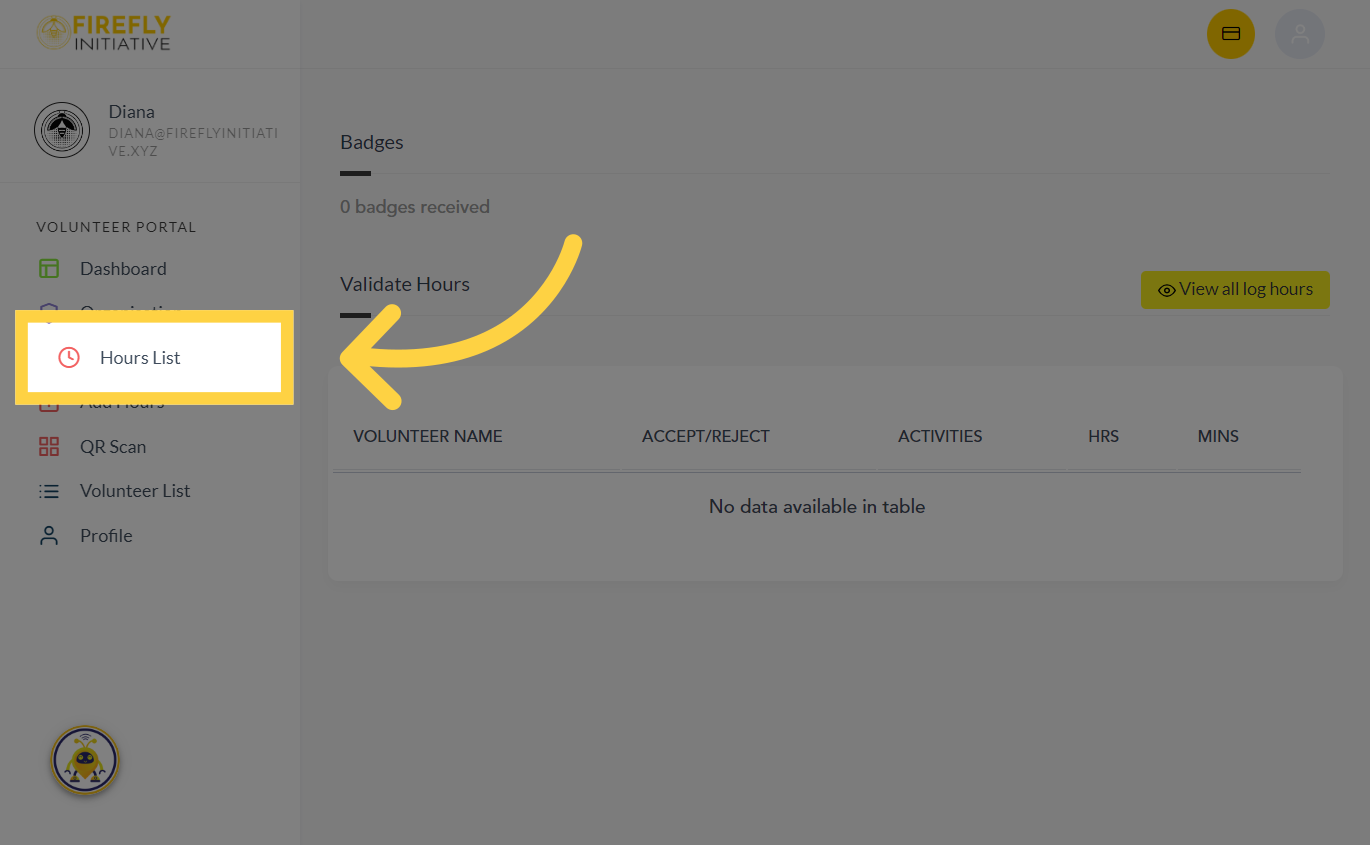
1. Click "Hours List"
Click on the "Hours List" option to begin
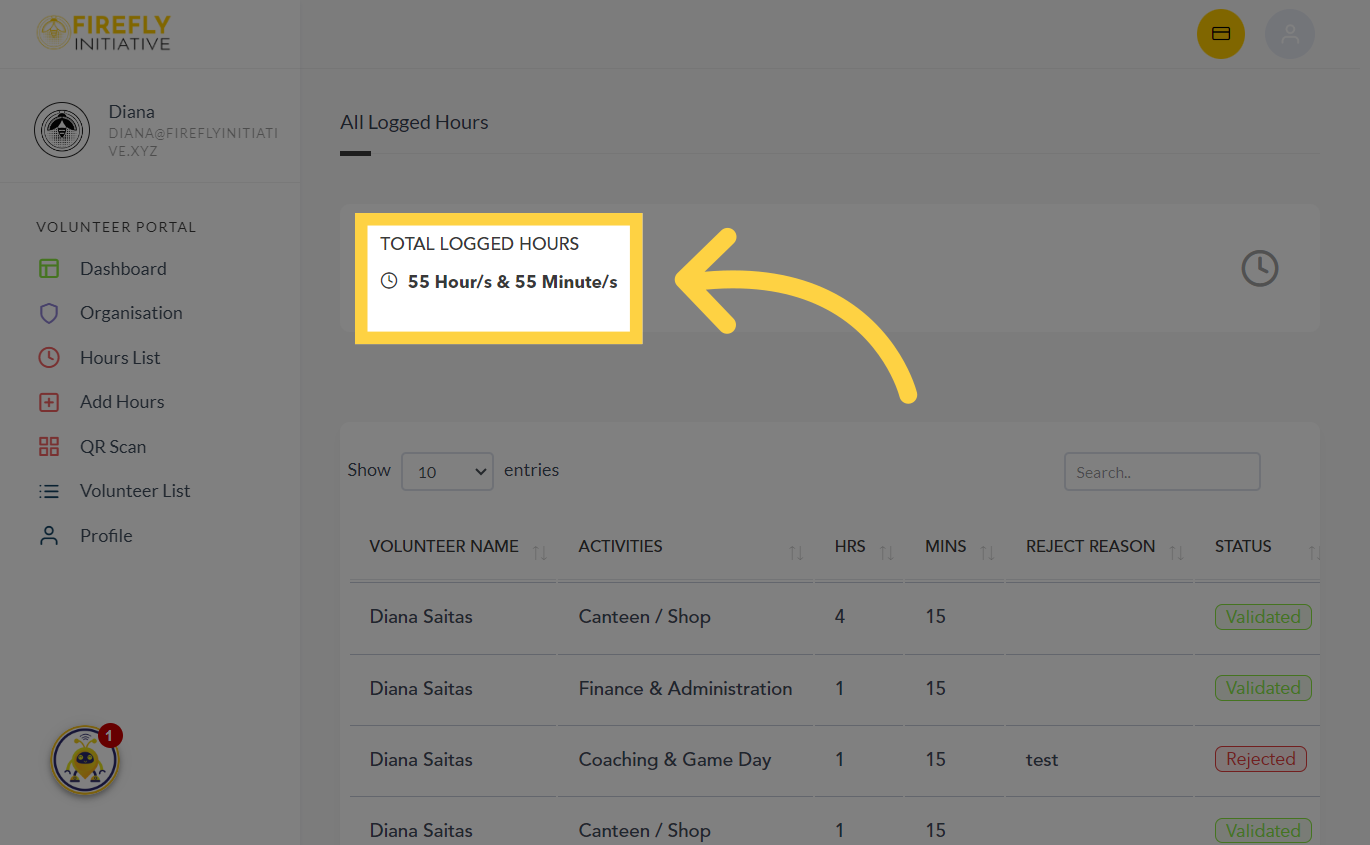
2. Navigate to "TOTAL LOGGED HOURS"
Hover to "TOTAL LOGGED HOURS" section to view the overall number of hours allocated within your organization. Observing the combined hours can lead to a celebration of milestones reached by the community and individual volunteers, fostering a sense of accomplishment.
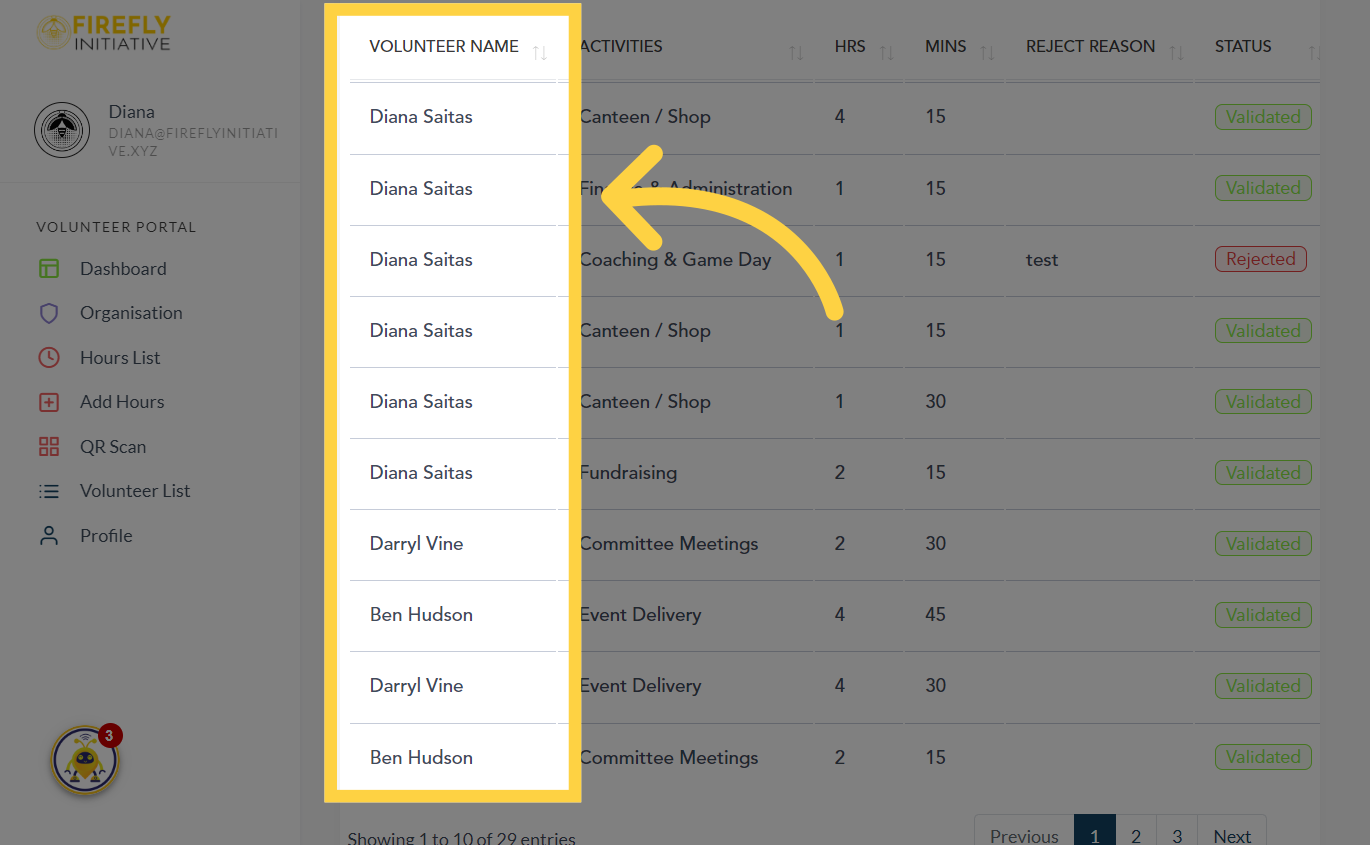
3. See the names of all volunteers
Viewing the cumulative hours volunteered can serve as a source of motivation, inspiring you to continue contributing and making a difference.
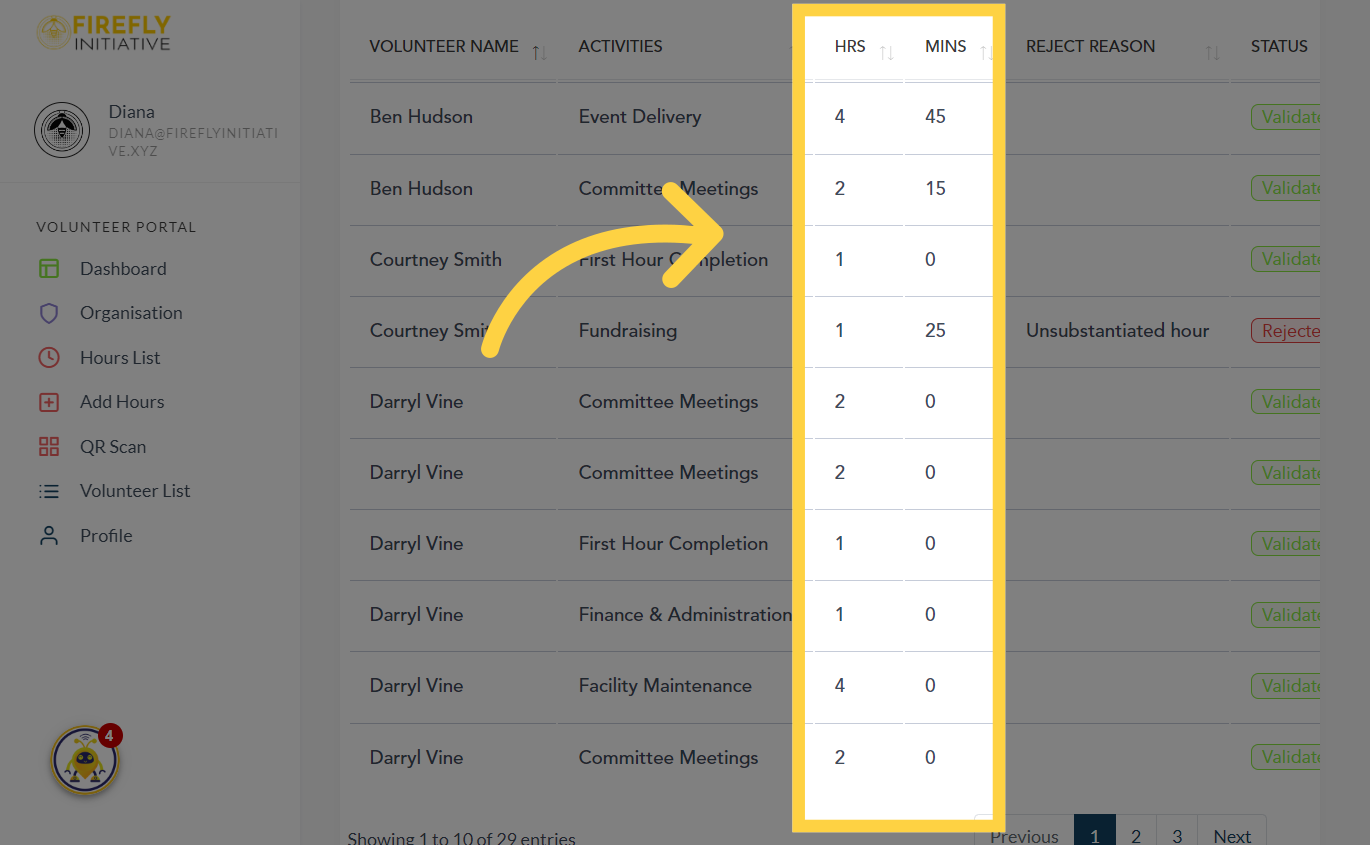
4. See the total number of hours
Seeing the distribution of hours among different volunteers can give you insights into the engagement levels of individuals and the overall dedication to social impact.
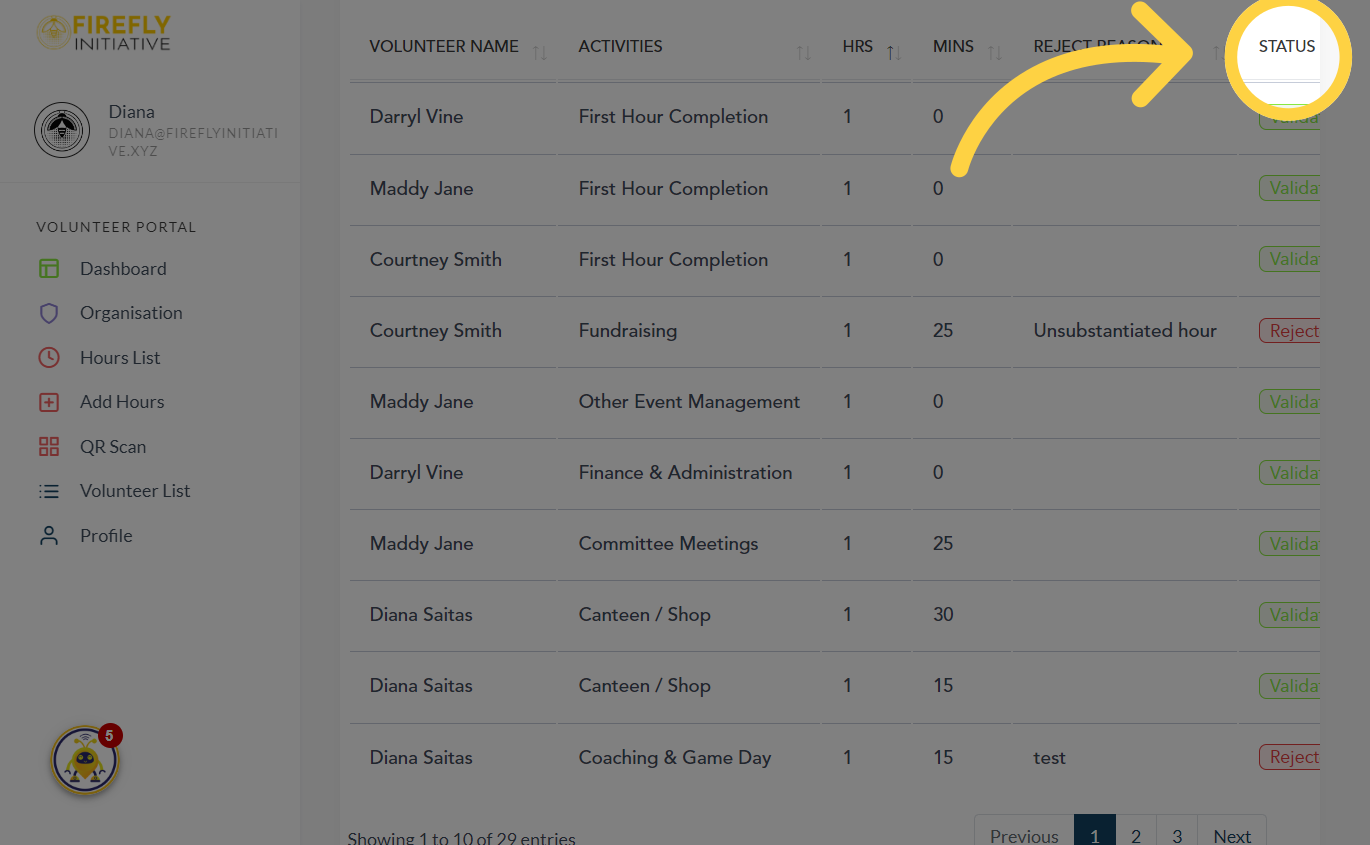
5. Check "Status"
And finally check the status of each logged hour per activity
This guide covered the steps to view all volunteers' hours in the Firefly initiative application. The availability of volunteer hours information promotes transparency within the Firefly Initiative community, fostering trust and accountability.
Was this article helpful?
Related Articles