
How To View The Details Of Your Organisation
Discover how to easily access and view The Details Of Your Organization with this step-by-step guide. Reviewing your organization's details ensures that the information presented accurately represents your organization's mission, values, and activities related to social impact.
Go to portal.fireflyinitiative.xyz
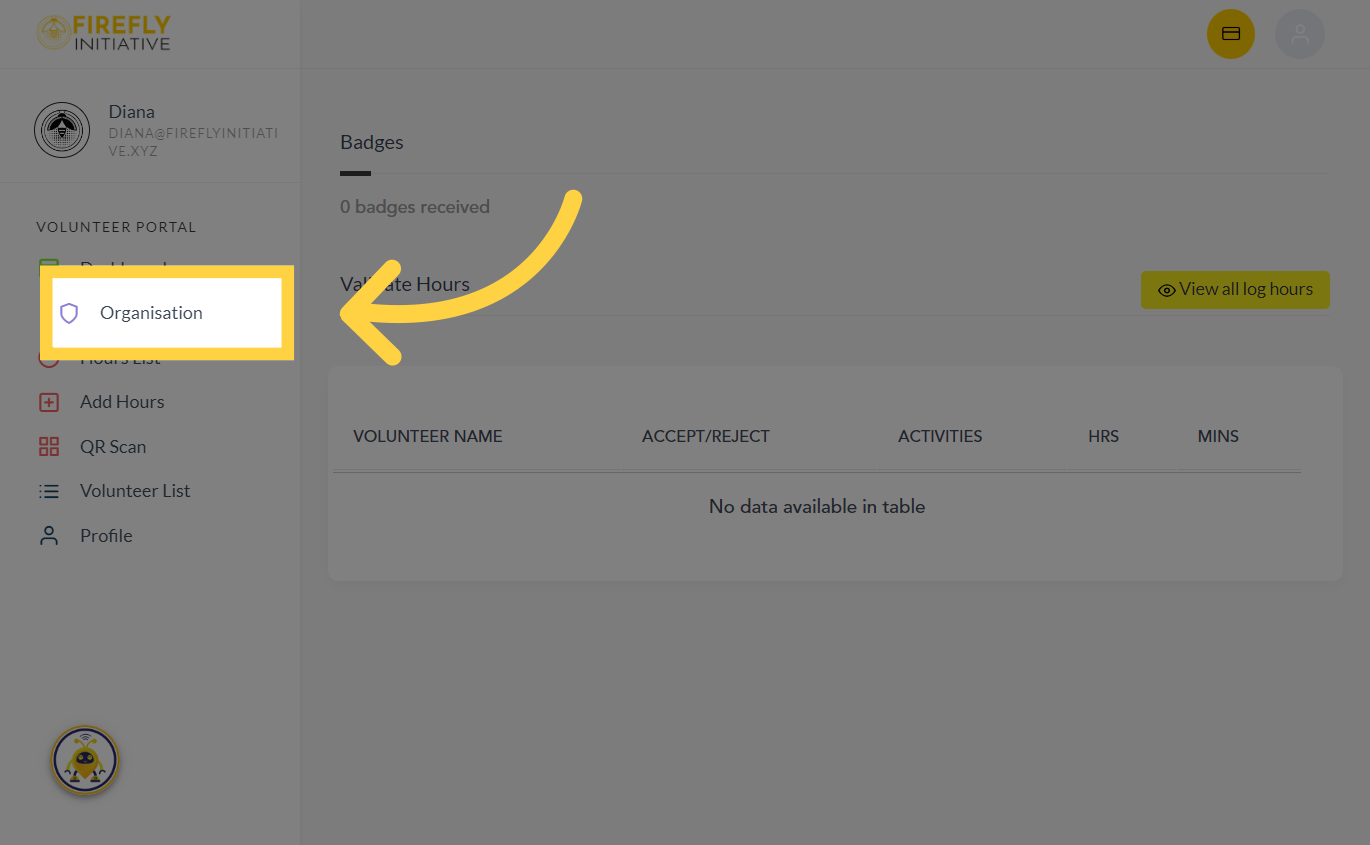
1. Click "Organisation"
Click the "Organisation" tab to get started
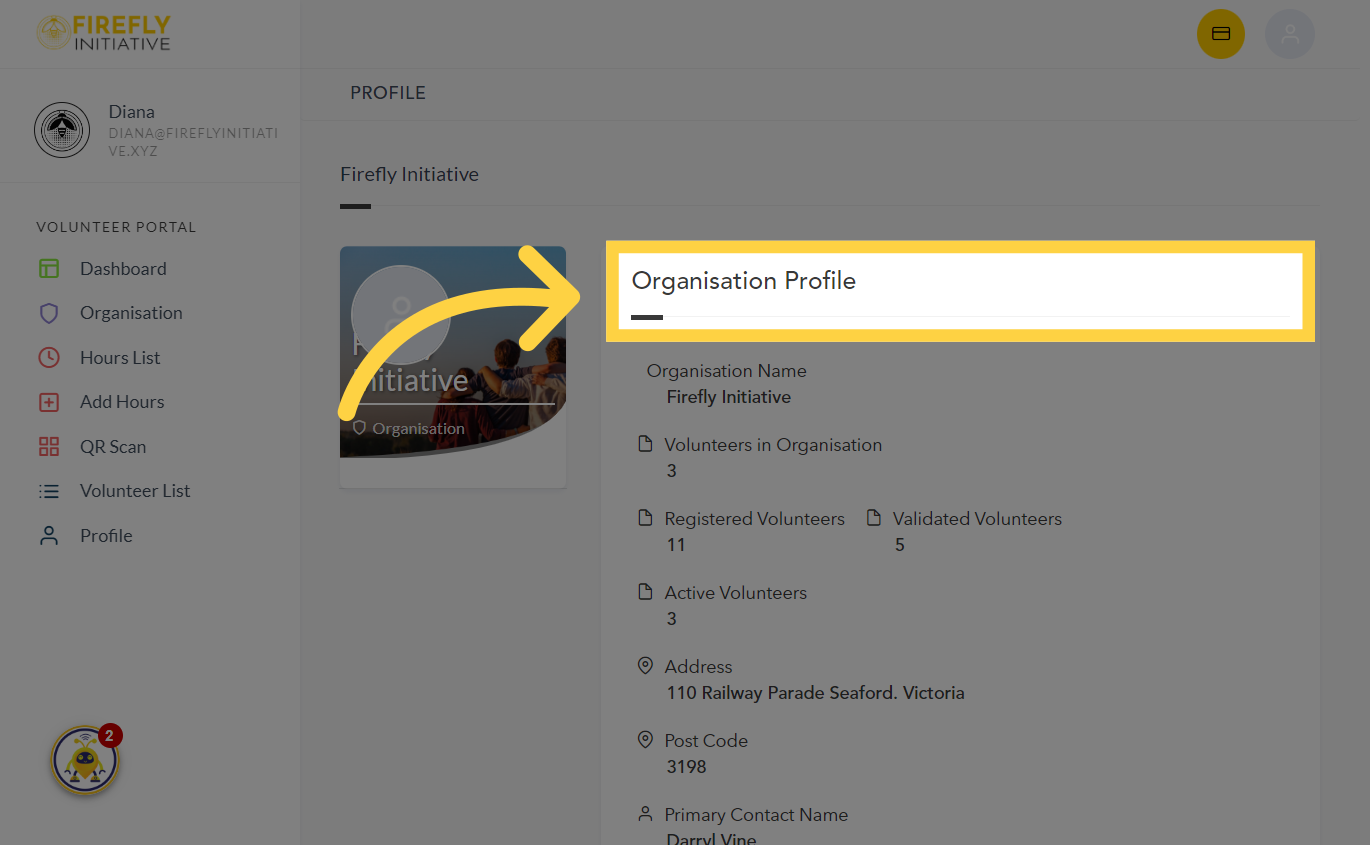
2. Navigate to "Organisation Profile"
You can find the information about your organization right here. An updated organization profile enhances your credibility, making your organization more trustworthy and reliable in the eyes of potential partners and volunteers.
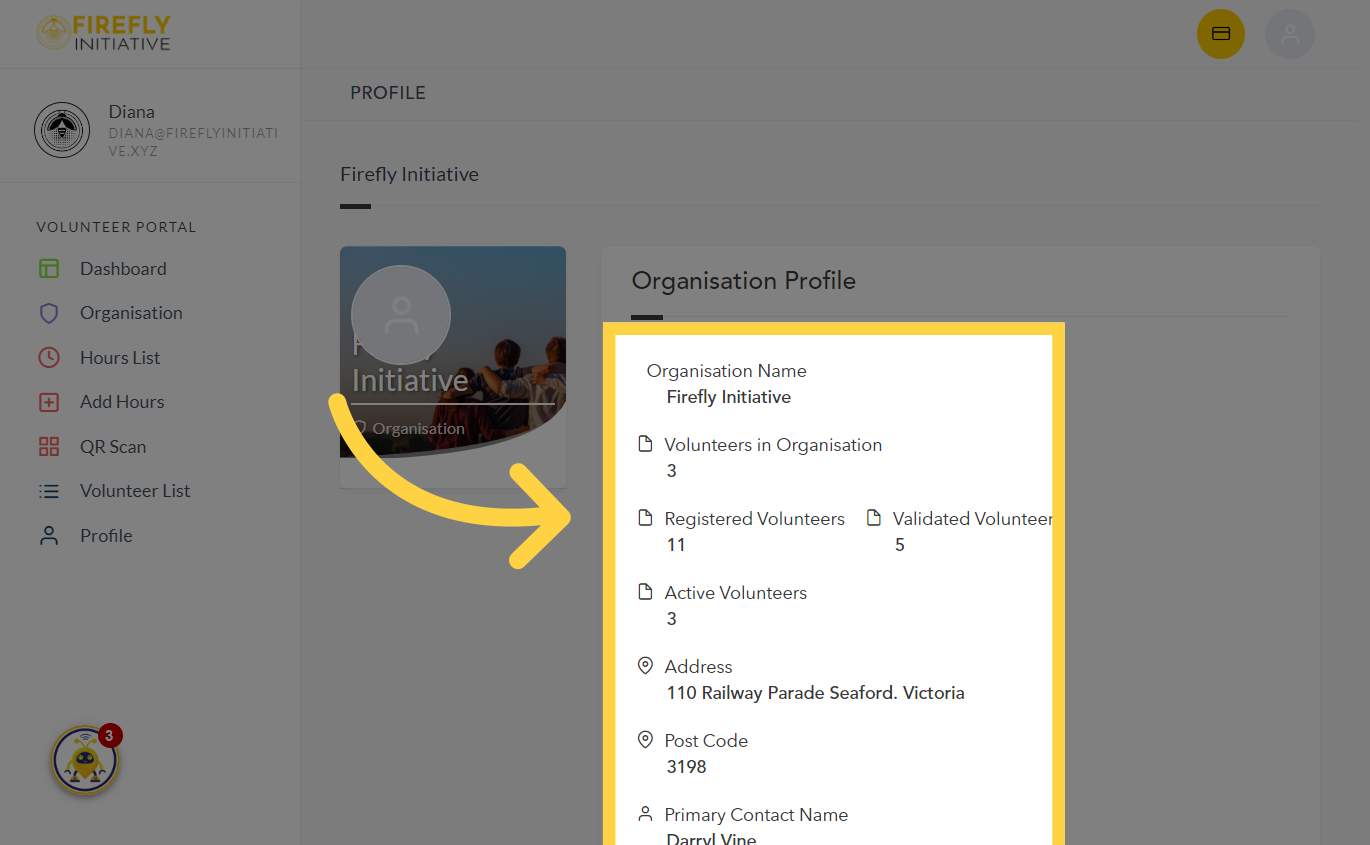
3. Check your Organisation's details
In this section, you'll find details about your organization, like the count of registered and active volunteers, the address, and the main contact person. it provides a comprehensive information about your organization fosters transparency, showing your commitment to openness and authenticity within the Firefly Initiative communit
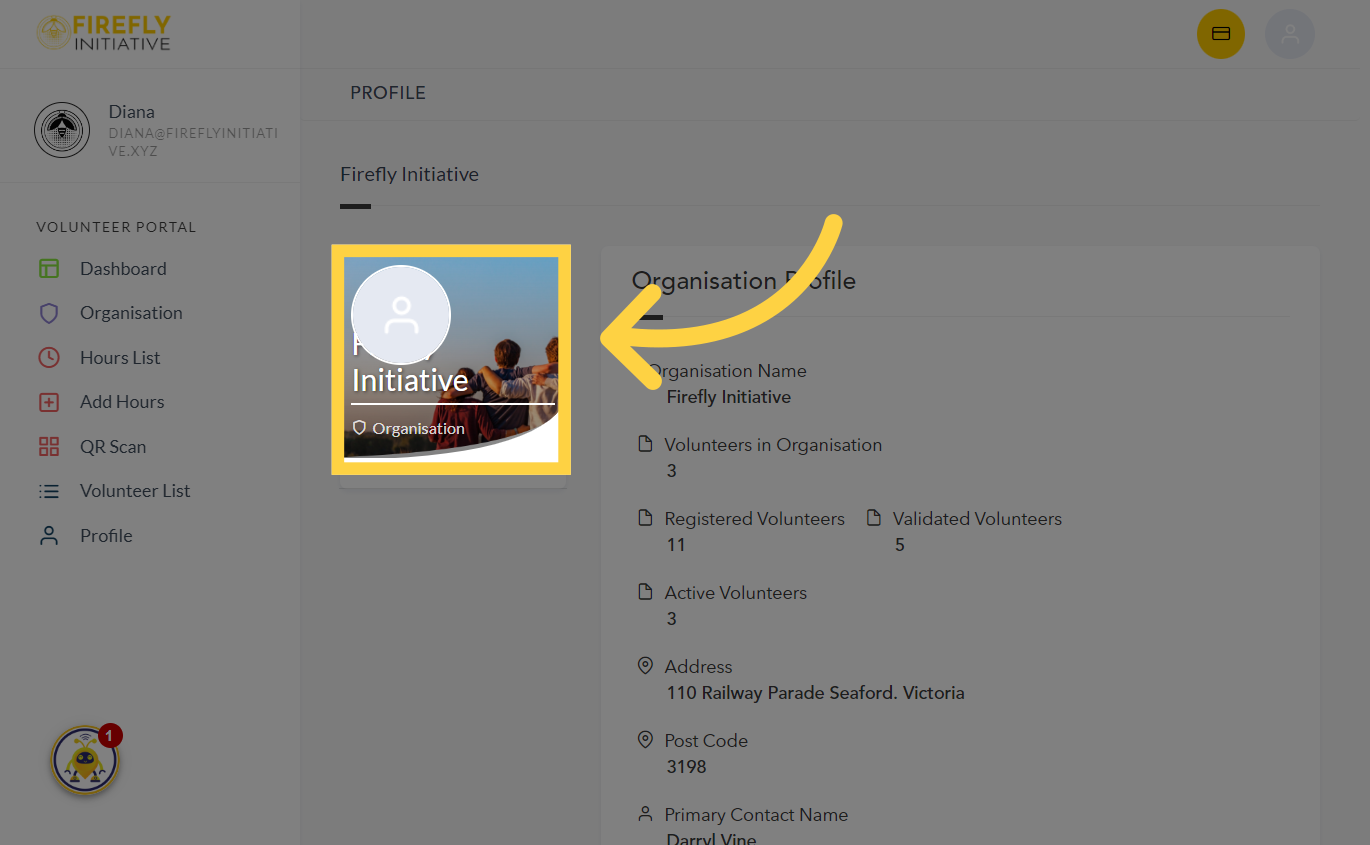
4. Organisation's name and photo
See your Organization's name and photo
This guide shows you how to view the details of your organization which encourages interaction with volunteers, volunteers-to-be, and other organizations with similar values.
Was this article helpful?
Related Articles