
How To See The List Of Volunteers
Discover how to easily access and view the list of volunteers, view their details, and see the total hours completed with this step-by-step guide. Reviewing the list of volunteers allows you to connect with fellow volunteers, fostering a sense of community, collaboration, and shared purpose.
Go to portal.fireflyinitiative.xyz
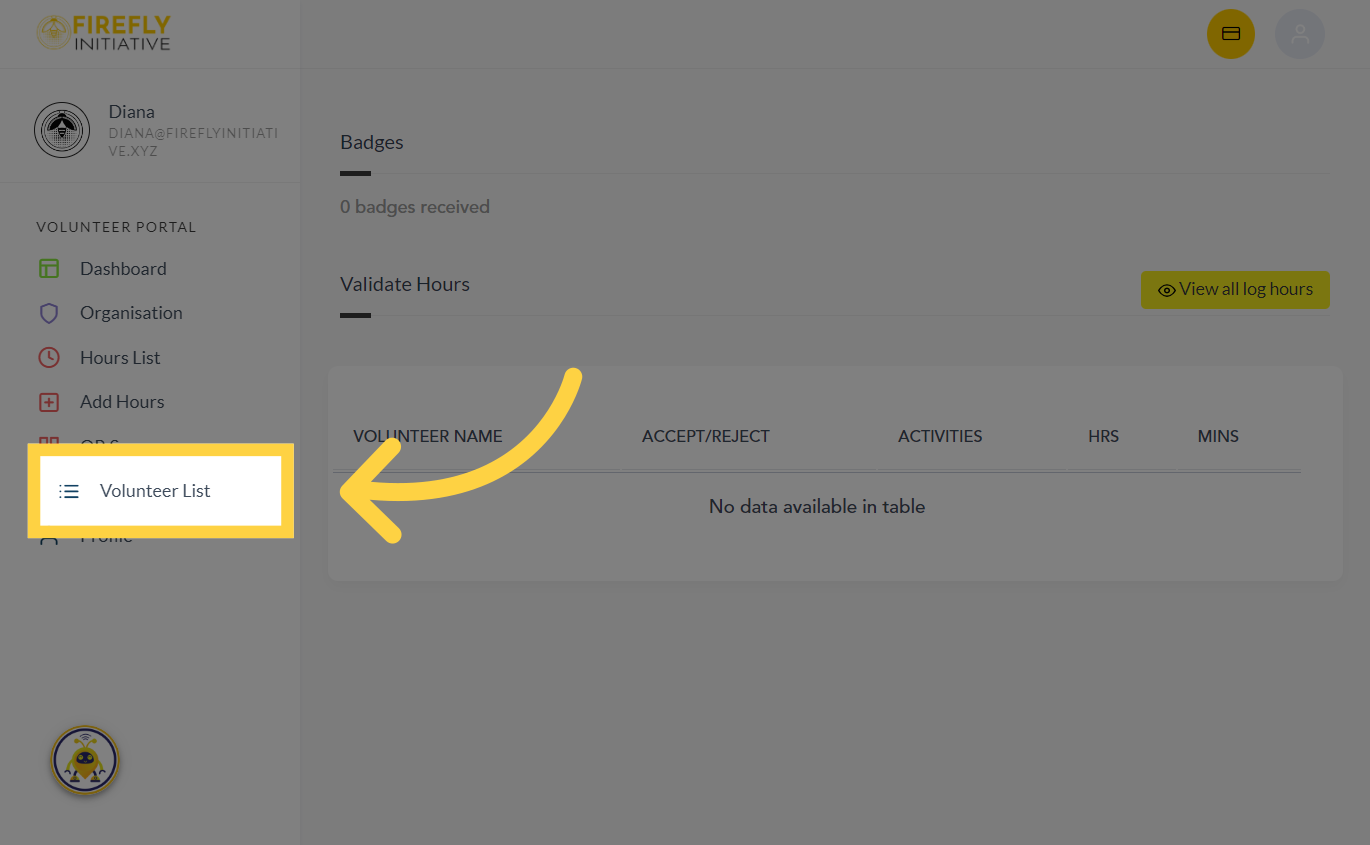
1. Click "Volunteer List"
Access the list of volunteers by clicking on "Volunteer List".
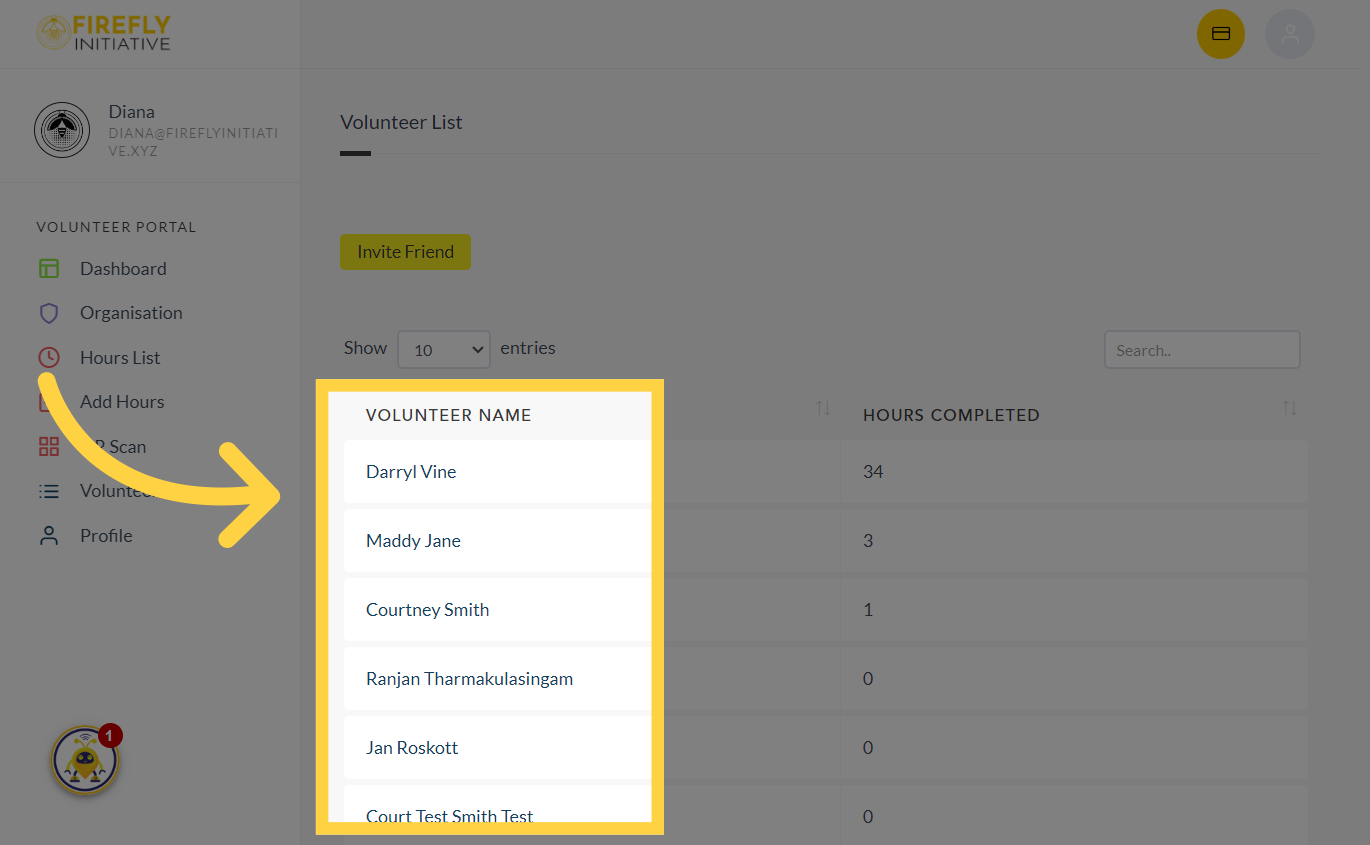
2. Navigate to the "Volunteer Name"
View the details of a specific volunteer here. By seeing who else is volunteering, you might identify potential partners, mentors, or collaborators who share your interests and goals.
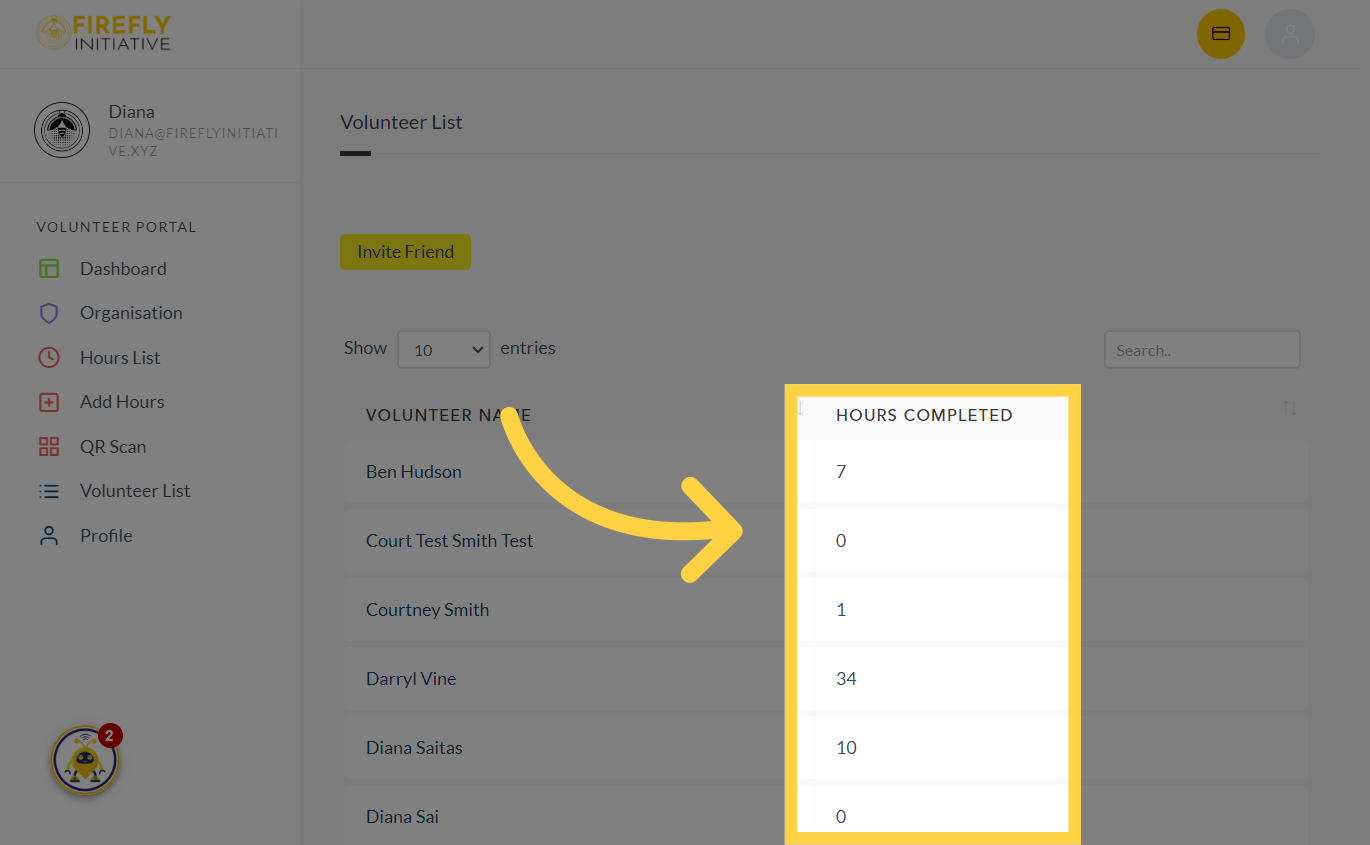
3. See "Hours Completed"
See the total hours completed by a volunteer. The list of volunteers can be a source of inspiration, showing the diversity of individuals committed to social impact and motivating you to contribute more.
This guide provides instructions on how to access the list of volunteers, view the total hours completed in the Firefly Initiative application. The list of volunteers can create a support system where you exchange insights, discuss challenges, and celebrate achievements with like-minded individuals.
Was this article helpful?
Related Articles