
How To Log In To Firefly Initiative Website
Learn how to log in to the Firefly Initiative website with these easy steps. By logging in, you can keep track of your volunteering activities and the social impact you've contributed, providing a sense of accomplishment and motivation.
Go to www.fireflyinitiative.xyz
1. Click "Log In"
Select the "Log In" option to begin.

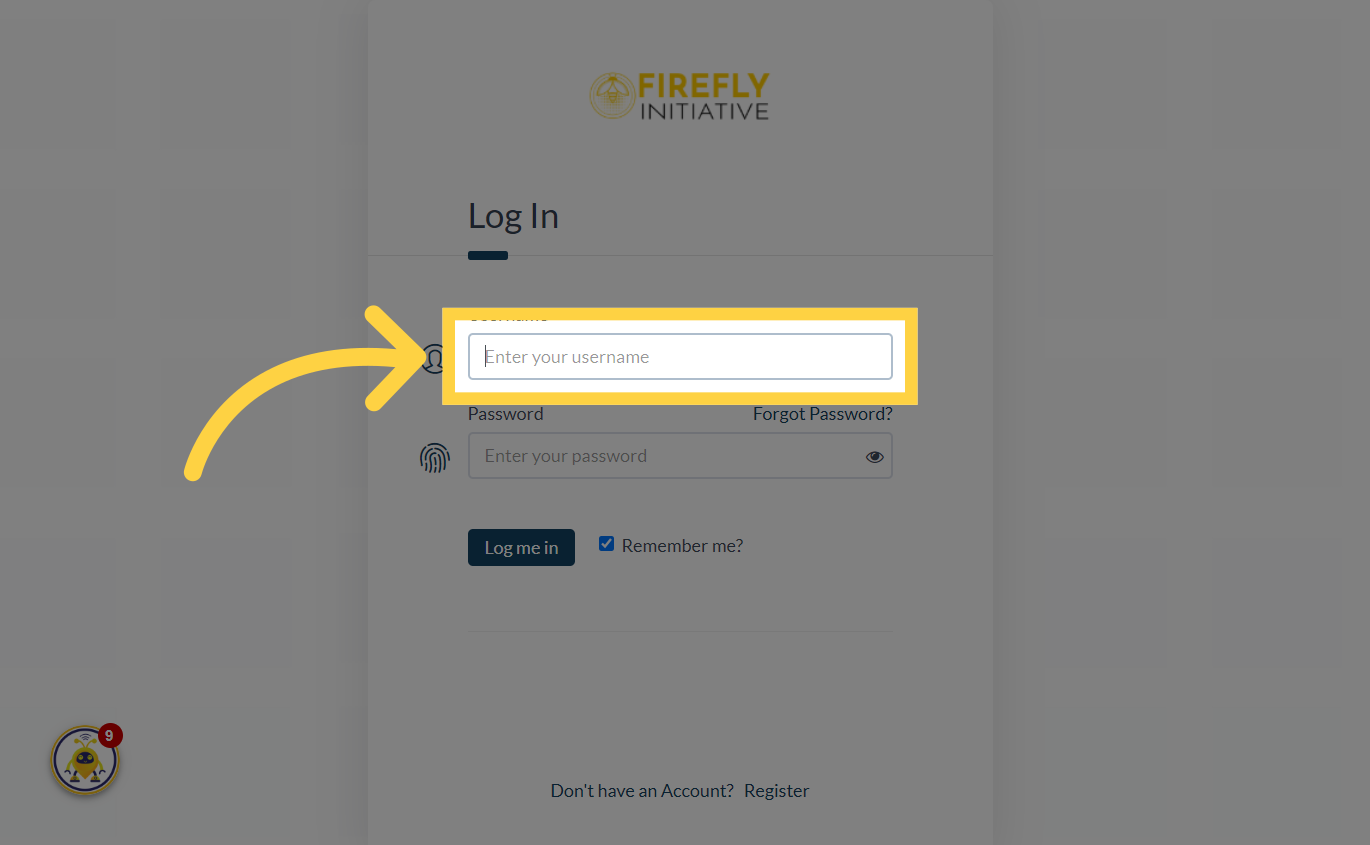
2. Click "Enter your username"
Click on the field that says "Enter your username".
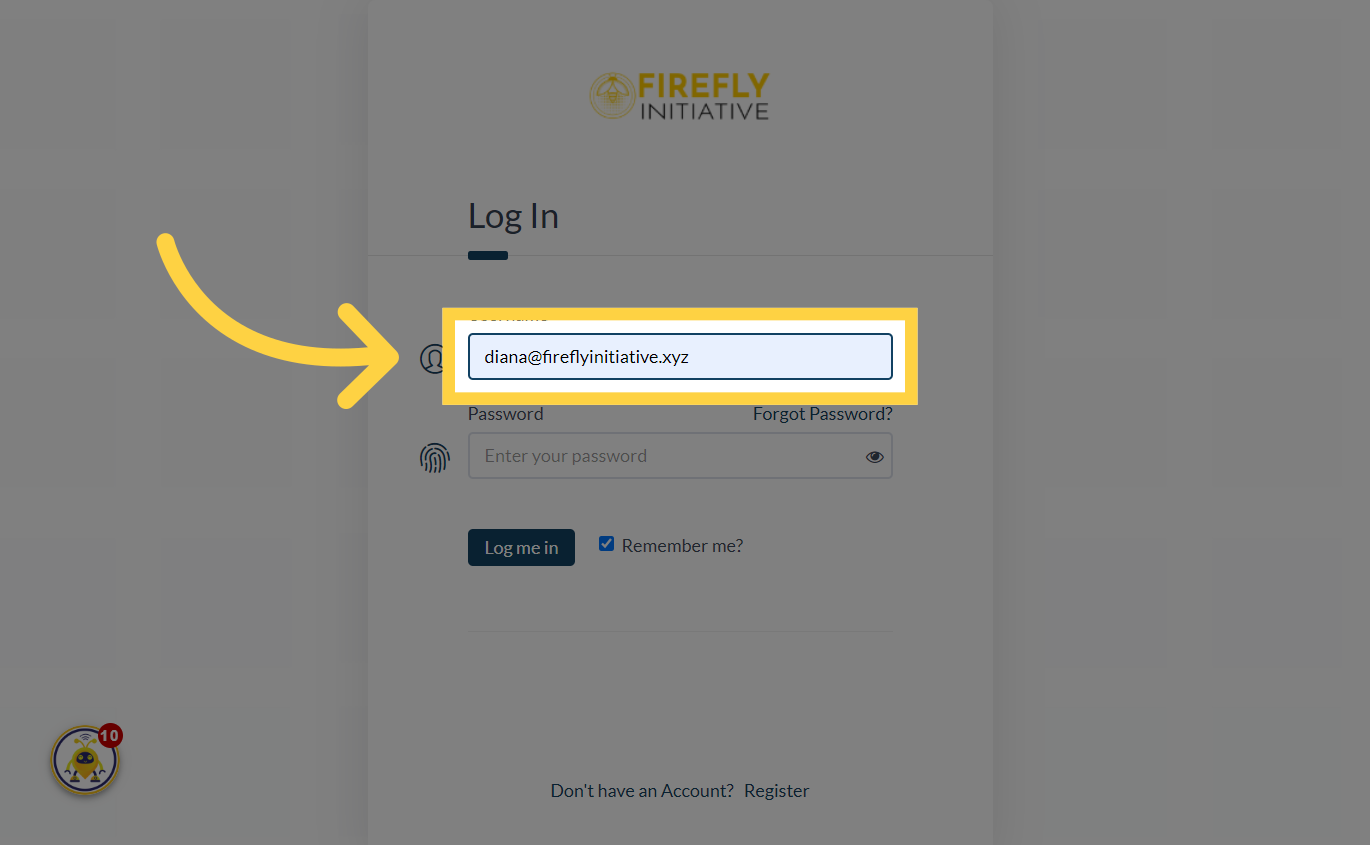
3. Fill "your email"
Input your accurate email address within the designated email field. This email address is where you'll get updates regarding your Firefly Initiative account.
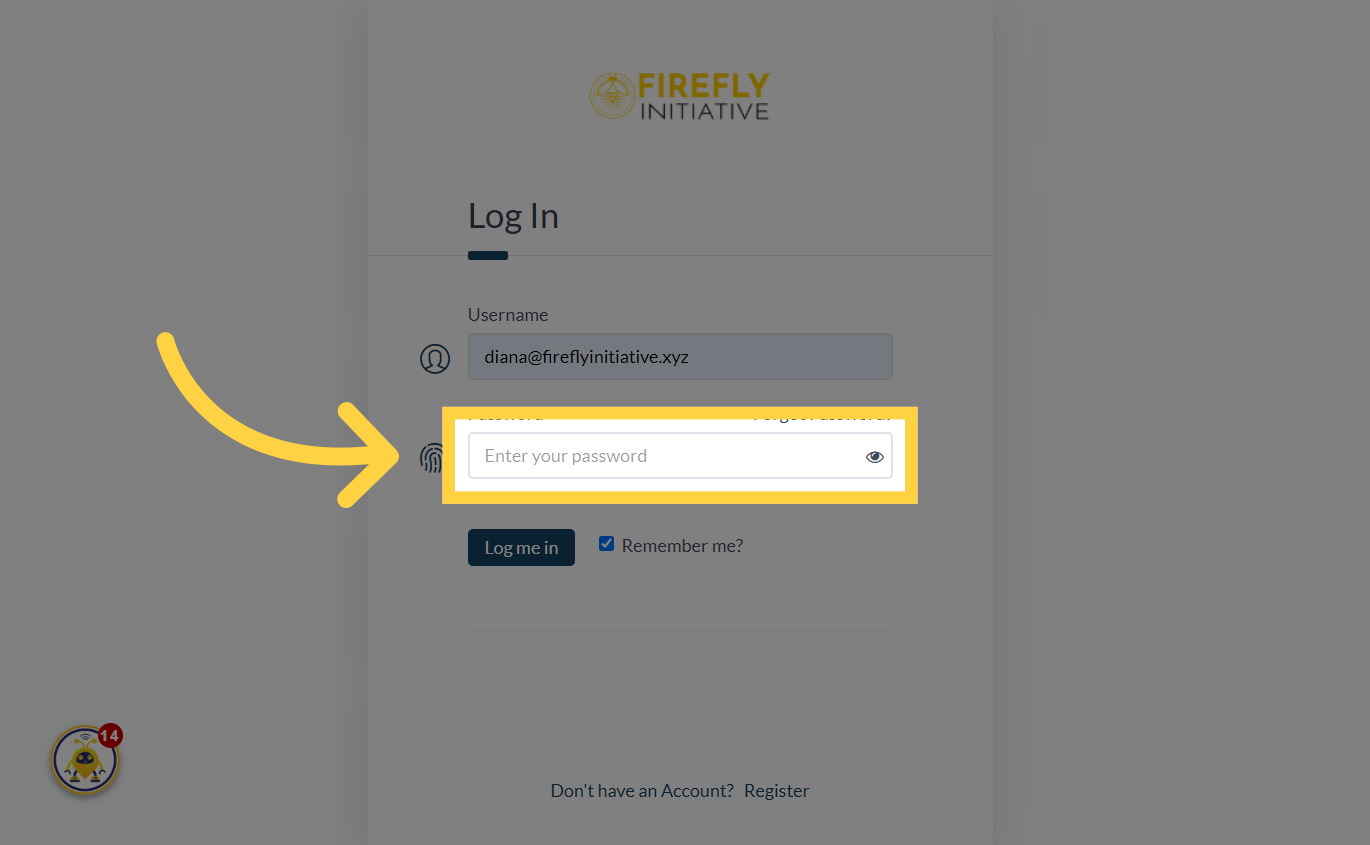
4. Click "Enter your password"
Click on the field that says "Enter your password".
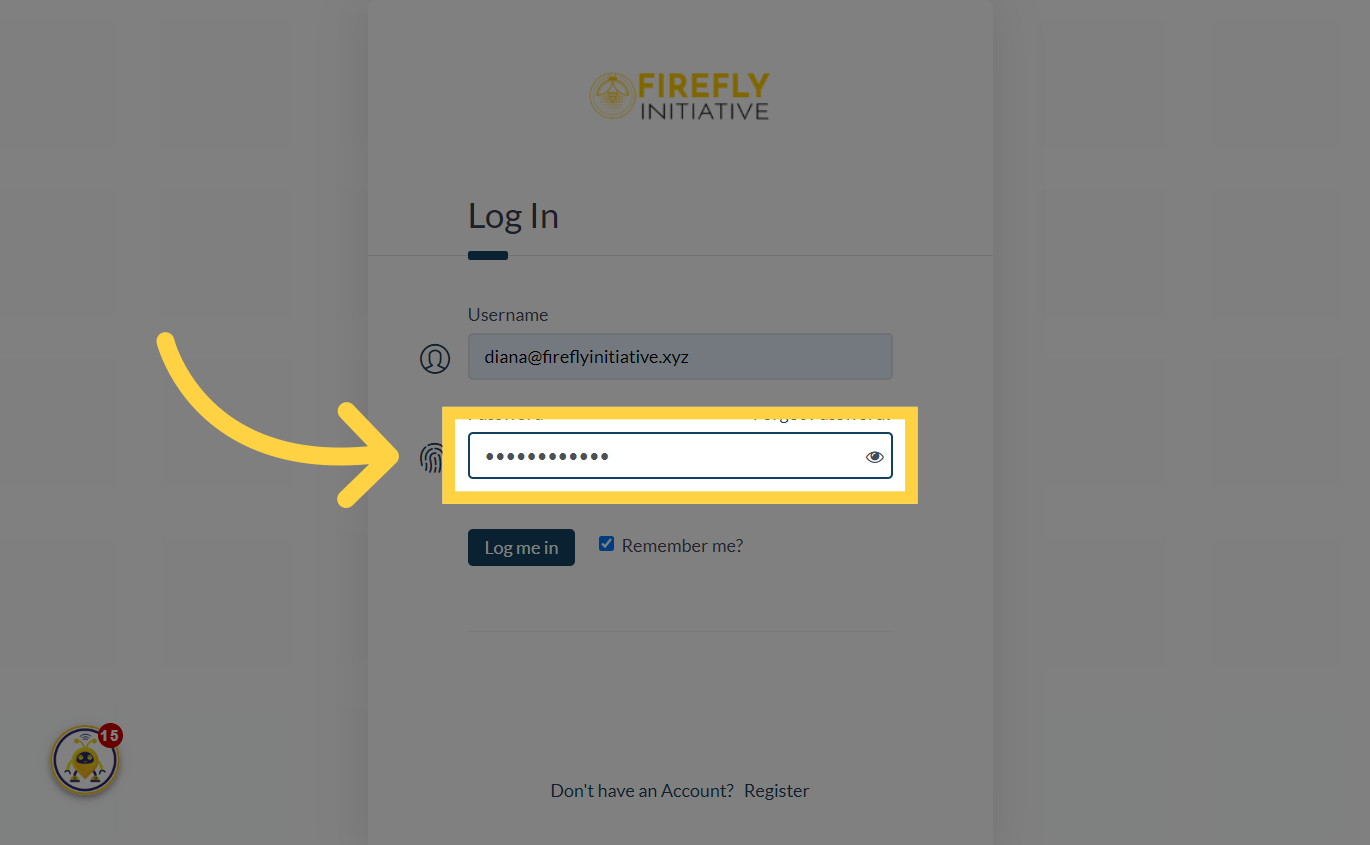
5. Fill "Password"
Simply enter your correct password.
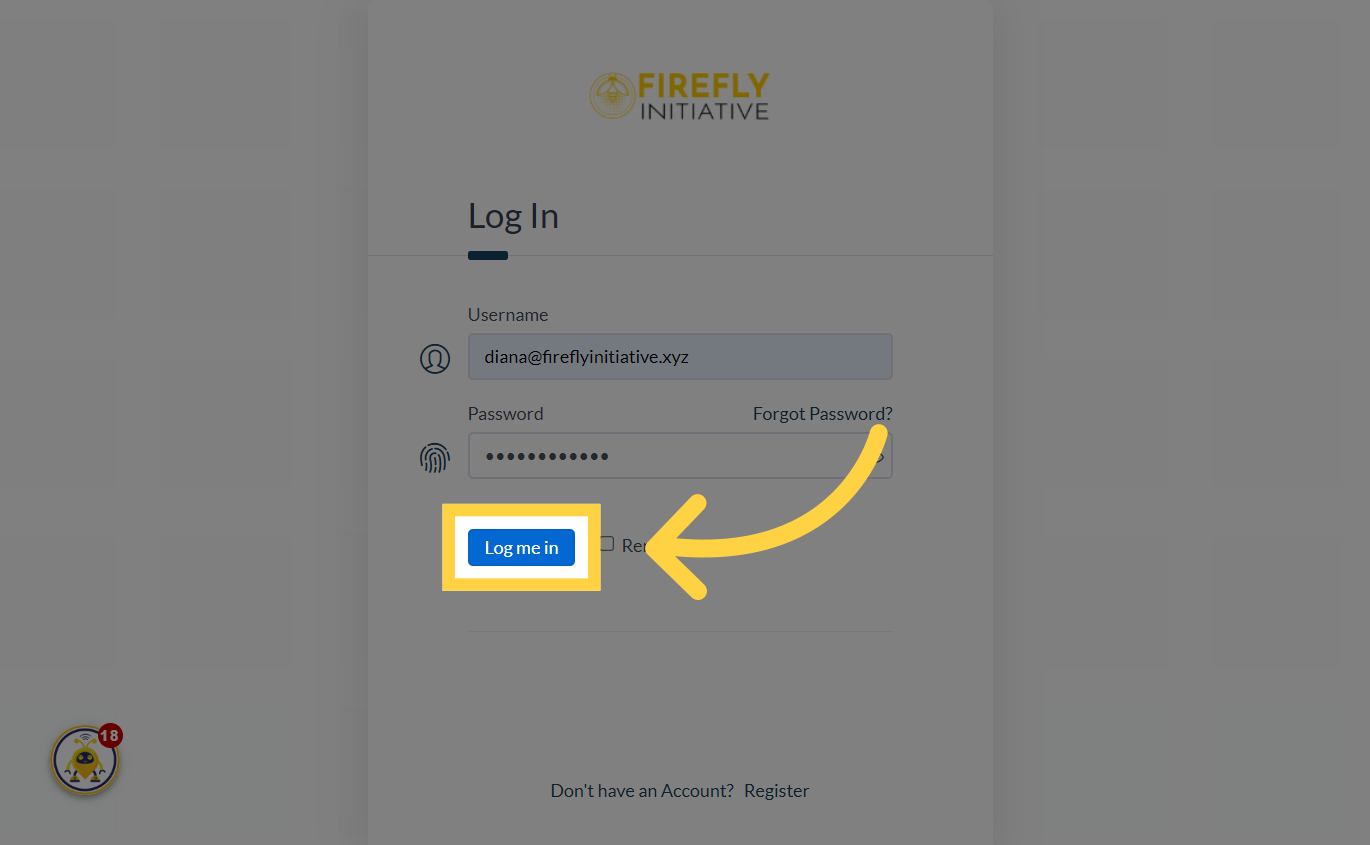
6. Click "Log me in"
Click on the "Log me in" button to complete the log in process. Once logged in, you'll gain access to a broader spectrum of volunteering opportunities, allowing you to choose activities in the community that align with your interests and skills.
This guide covered the steps to log in to the Firefly Initiative website where you can receive notifications about new opportunities, events, and updates related to the causes and initiatives you care about.
Was this article helpful?
Related Articles